DIGITAL LEARNING | ONLINE ASSESSMENT | LEARNER SUPPORT
Advanced Learning & Assessment Platform
A structured digital learning and assessment environment designed to help you access course materials, complete assessments and manage your learning journey with confidence.
Everything You Need in One Platform
Our e-learning and e-assessment portals bring together learning materials, assessments, document submissions and progress tracking in a single, easy-to-use environment.
Structured E-Learning
Access organised study units, lessons and supporting materials.
01Digital Assessment
Submit workbooks and supporting evidence through the online portal.
02Progress Tracking
Monitor your learning progress and qualification completion status.
03Assessor Communication
Receive updates, assessment guidance and feedback from your assessor.
04Learn Anytime, Anywhere
The E-Learning Portal gives you access to your enrolled courses, structured lessons, quizzes and additional learning resources. You can track your progress and continue your learning at a time that suits you.
- Access enrolled courses
- Study structured units and lessons
- Complete quizzes and knowledge checks
- Track progress and completion status
- Mobile-friendly learning access
My Learning Dashboard
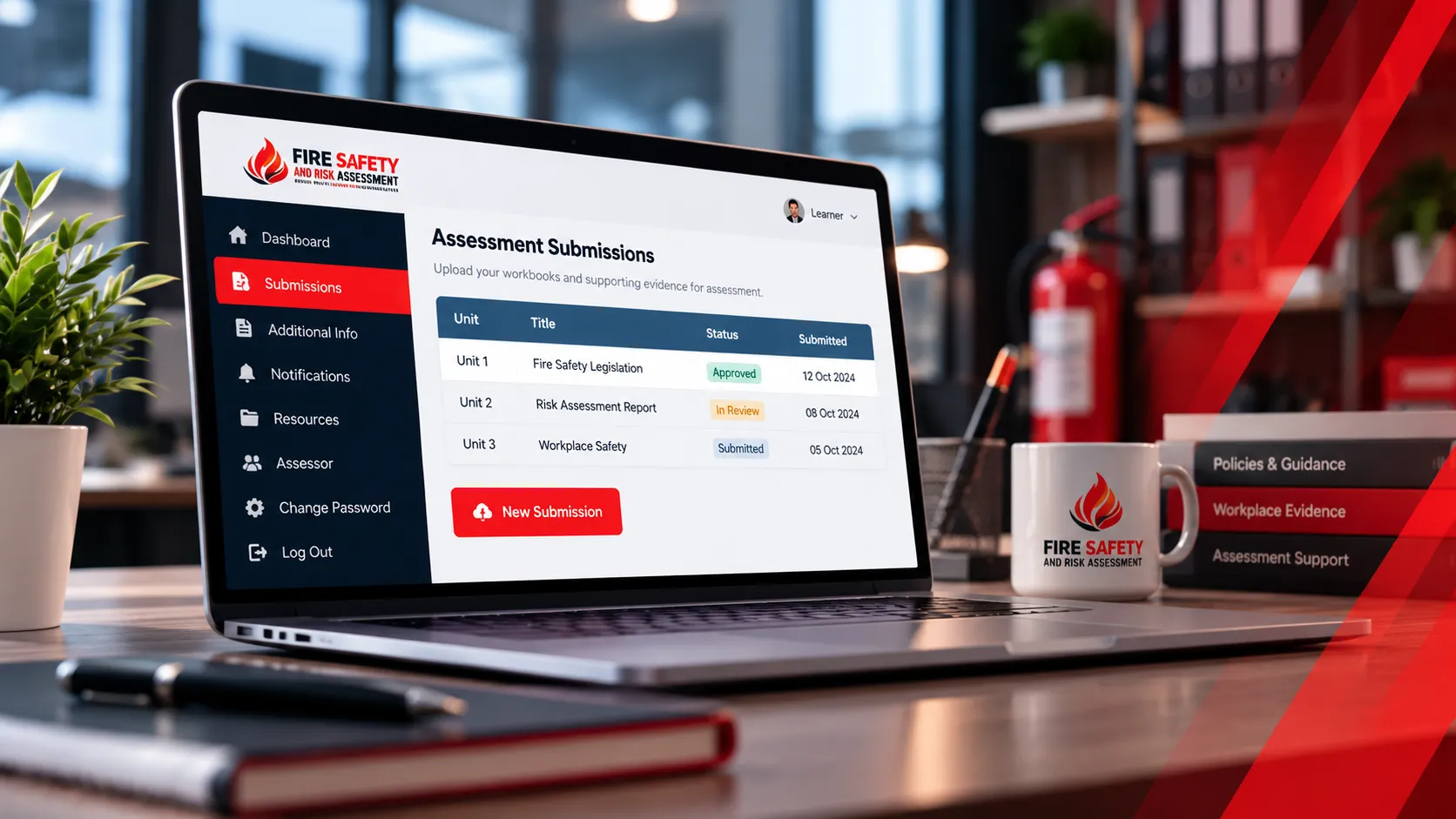
E-Assessment Portal
Submit Your Work with Confidence
The E-Assessment Portal allows you to submit your qualification workbooks, upload supporting evidence and manage required documents. You can also view assessment plans, access notifications and communicate with your assessor.
- Upload workbooks and supporting evidence
- Submit required identification and documents
- View assessment plans and notifications
- Access assessor contact details
- Follow clear submission guidelines
How It Works
Your Learning Journey in Simple Steps
From registration to certification, follow a clear and straightforward process.
Account Registration
Your account is created and you receive your login details via email.
Log In to the Portal
Access the E-Learning and E-Assessment portals using your credentials.
Access Learning Materials
Explore your courses, study units and supporting resources.
Complete Assessments
Finish quizzes and submit your workbooks with supporting evidence.
Track Your Progress
Monitor your course status and receive updates from your assessor.
Document Submission & Verification
Clear Requirements. Organised Submissions.
To maintain academic integrity and comply with awarding body standards, all learners must submit the required documents through the E-Assessment Portal. Your assessor will review, validate and confirm your documents as part of the quality assurance process.
Commonly Required Documents
- Updated CV / Resume
- Passport or National ID
- HSE and educational certificates
- Induction and Skill Scan forms
- Registration & Equal Opportunities form
- Assessment plan and candidate statements
- Authenticity and feedback forms (post-assessment)
Learner Support
We’re Here to Help
Our team is available to help you with portal access, technical issues, missing login details and general enquiries about your learning journey.
Frequently Asked Questions
Your Questions Answered
Find quick answers to common questions about our learning and assessment platform.
What is the Advanced Learning & Assessment Platform?
It is an online learning and assessment environment where enrolled learners can access course materials, complete learning activities, submit assessment work and follow their progress.
How do I access the E-Learning Portal?
Use the login details provided to you after registration. If you have not received your credentials or cannot sign in, contact learner support for assistance.
What materials are available?
Depending on your enrolled course, the portal may include structured study units, lessons, learning resources, downloadable materials and activities that support your qualification.
How do I submit my assignments?
Sign in to the E-Assessment Portal, follow the instructions for your assessment and upload your completed workbook and required supporting evidence in the requested format.
Can I track my learning progress?
The platform provides progress and course-status information where available, helping you review your learning activity and identify outstanding work.
Do I need to complete quizzes?
Some courses include quizzes or knowledge checks. Complete the activities required for your enrolled course and follow the instructions provided by your learning or assessment team.
What file formats should I use?
Use the file formats specified in your assessment instructions. Check that each document is readable, complete and correctly uploaded before submitting your work.
Will I receive support from an assessor?
Your assessment arrangements may include assessor feedback, assessment plans and relevant notifications. Contact learner support if you need help accessing your assessment information or communicating with your assessor.